Full git workflow, file management, and AI agent control — built into the terminal, not bolted on.
AI Agent Control via MCP
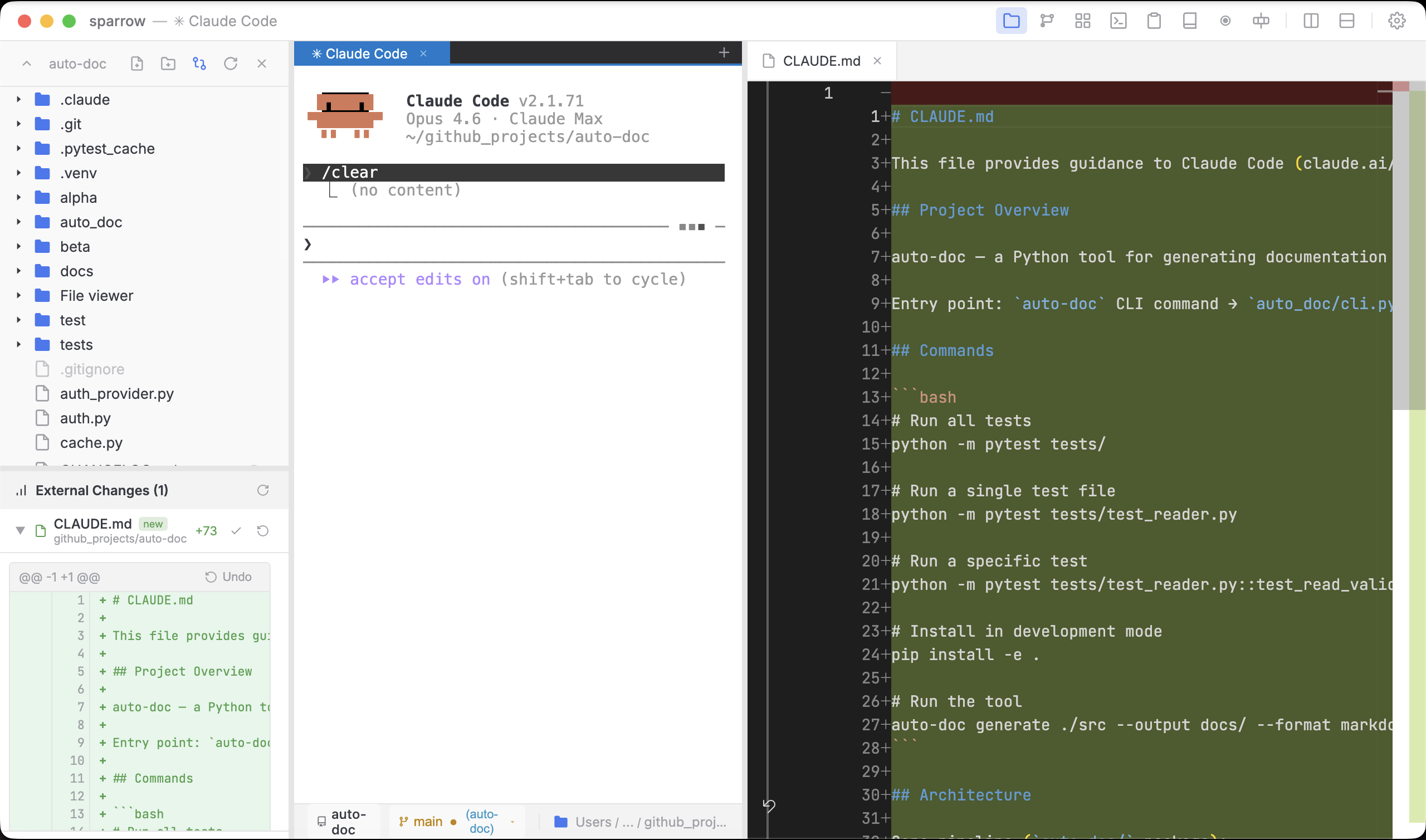
Let Claude Code or Gemini CLI drive your terminal — create panes, run commands, capture output, take screenshots.
Voice Input
Hold Cmd+Shift+Space or the mic button to speak commands. Native on-device speech recognition — no cloud APIs, no latency. Text appears at your cursor when you release.
Split Panes
Vertical and horizontal splits. Work in multiple terminals side by side with independent sessions.
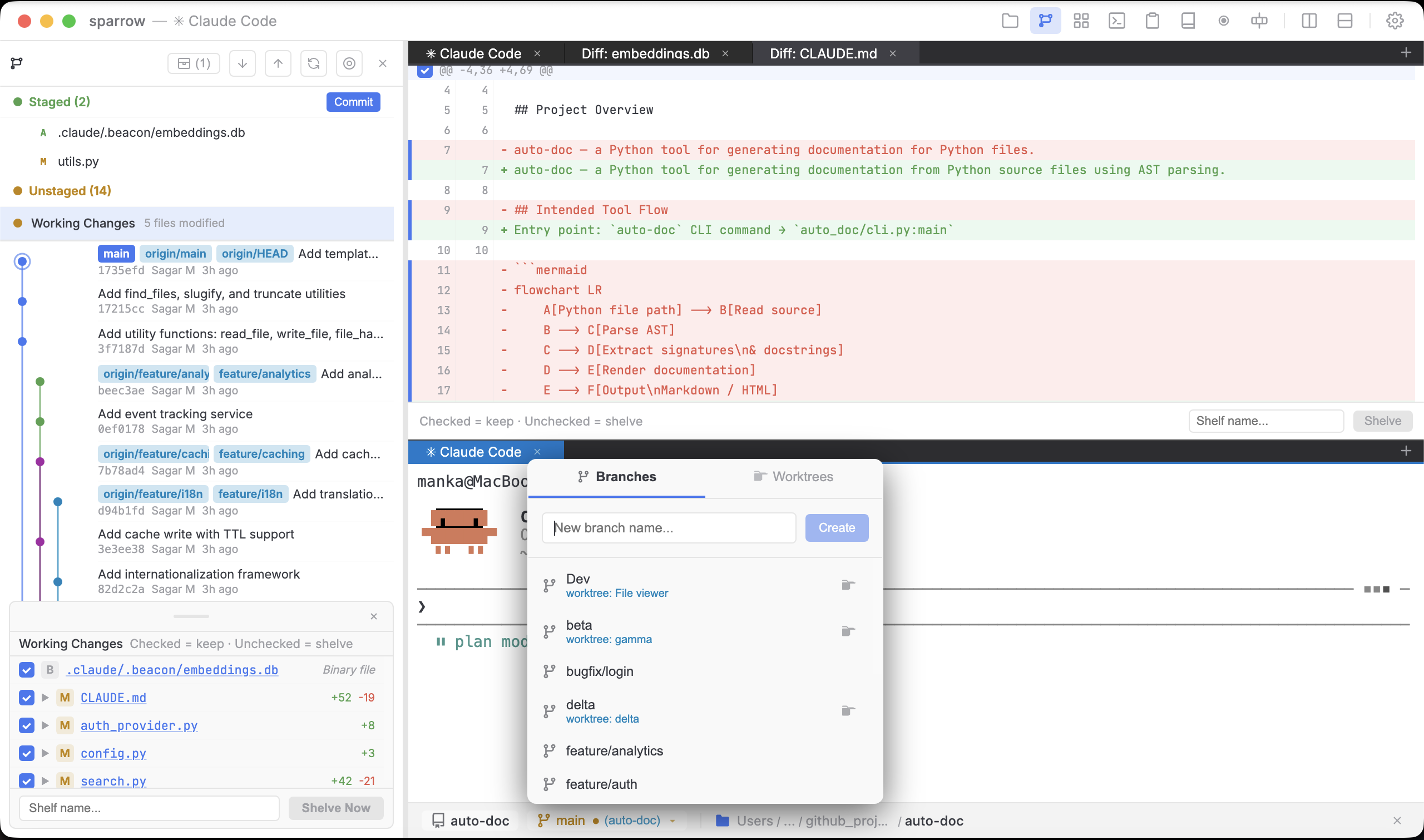
Git Graph with Shelving & Staging
Full commit graph, stage/unstage files, shelve working changes, cherry pick hunks from any commit, branch, merge, and worktrees — no separate Git GUI needed.
File Explorer with Inline Diffs
Browse, create, move, and delete files. Edit with syntax highlighting, review inline diffs against the last commit, and revert unwanted changes — without leaving the terminal.
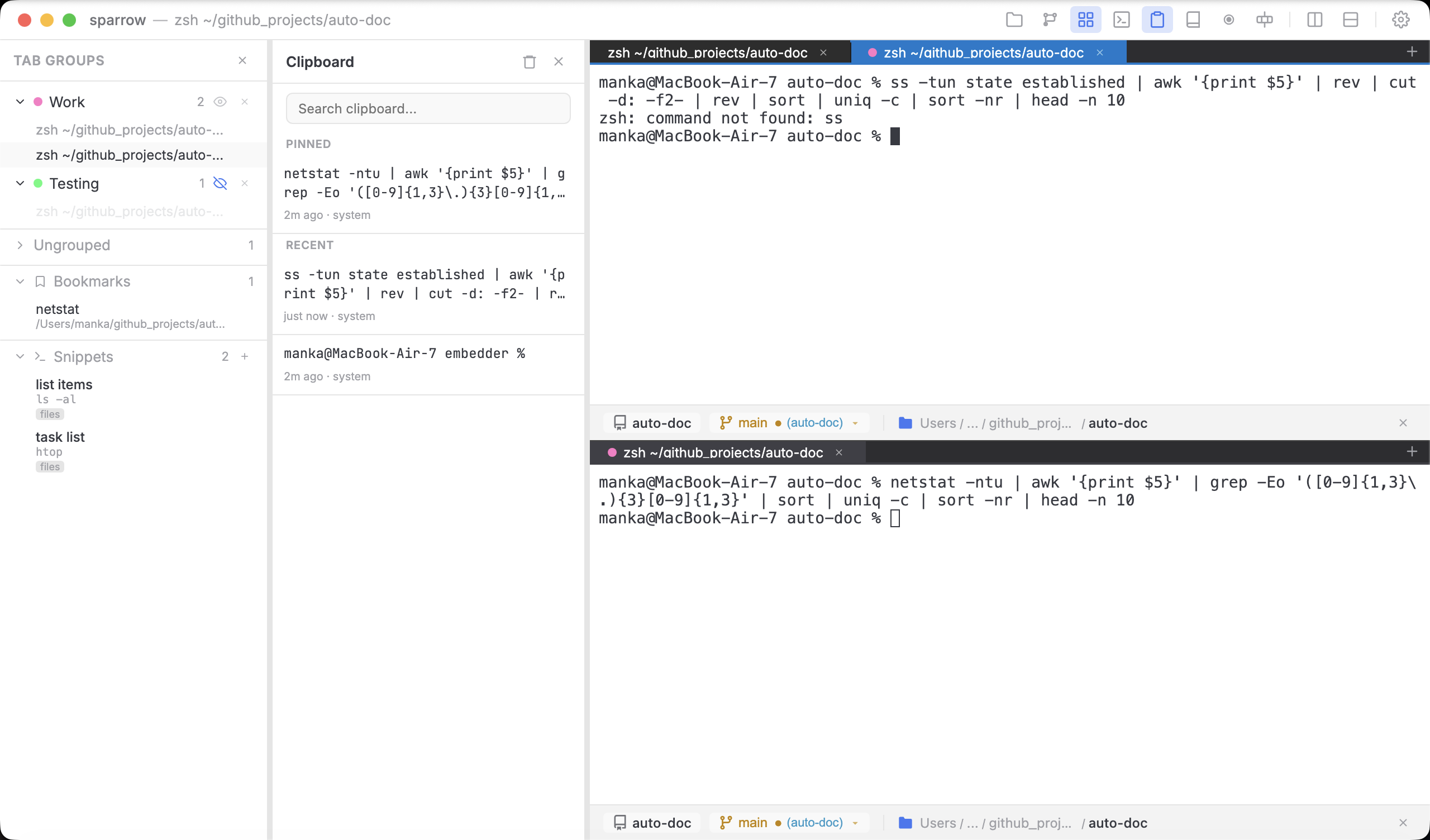
Clipboard History & Snippets
Auto-tracked clipboard with pinning, search, and re-copy. Save reusable command snippets with parameters — most terminals don't have either.
Tab Groups
Color-coded groups for both terminal and file editor tabs. Organize by project, environment, or task — collapse and expand entire groups at once.
Session Restore
Tabs, panes, and working directories saved and restored on every relaunch.
Broadcast Input
Type once, send to every pane. Great for multi-server commands.
GIF Recording
Record terminal sessions as animated GIFs with one click. Perfect for docs and demos.